20 November 2025 ~ tomsqrd
For one of my Android applications, I wanted to enable users to quickly compose a Bluesky post with an image and text.
Sounds easy enough, right? Let’s dive right in and see how to achieve this in Kotlin!
In this post I’m going to go illustrate:
- The common Android sharing solution
- Why it currently doesn’t work
- My own hacky workaround
Skip the yapping? Here’s the TLDR.
Important
I’m assuming you already have a valid image file in a val file: File instance.
Using the Android share function
Android apps can send data to other apps on the device using ACTION_SEND intents.
We can attach many different types of content, which the receiving application will then resolve.
Exposing our file
We’ll begin by making our file available to the receiving app.
Due to security restrictions of the Android system, you’re not allowed to just call file.path.toUri()
and send the file:// URI to different apps1.
Instead, you need to use a FileProvider
instance, which will expose a URI to the file for other apps. Using this official guide,
we will set up file sharing.
First, we define our file provider in AndroidManifest.xml:
<provider
    android:authorities="YOUR_AUTHORITY_HERE"
    android:name="androidx.core.content.FileProvider"
    android:exported="false"
    android:grantUriPermissions="true">
        <meta-data
            android:name="android.support.FILE_PROVIDER_PATHS"
            android:resource="@xml/filepaths" />
</provider>
You’ll note we need to define paths the provider can expose in @xml/filepaths, so we’ll create the file and add our path:
<paths>
    <cache-path path="/" name="my-shared-directory" />
</paths>
The Android ShareSheet
For sharing files on Android, it’s common practice to utilize the Android ShareSheet. We’ll use this official guide to help with our setup.
First, we’ll use the FileProvider from before to expose our file to the Bluesky app:
val uri = FileProvider.getUriForFile(
    application,
    "YOUR_AUTHORITY_HERE",
    file
)
Then, we’ll create the ACTION_SEND intent and attach the image as an EXTRA_STREAM,
not forgetting to set the correct MIME type. The text we want to share with the image will then be added as an EXTRA_TEXT.
We will also attach a ClipData object with the same image URI to create a thumbnail in the sheet.
val intent = Intent().apply {
    action = Intent.ACTION_SEND
    type = "image/jpeg"
    putExtra(Intent.EXTRA_STREAM, uri)
    putExtra(Intent.EXTRA_TEXT, text)
    clipData = ClipData.newRawUri("shared data", uri)
    flags = Intent.FLAG_GRANT_READ_URI_PERMISSION
}
The flag FLAG_GRANT_READ_URI_PERMISSION has to be applied so the receiving application may read the attached URI.
Finally, to actually open the ShareSheet, we will create a chooser intent and start it from our context:
val shareIntent = Intent
    .createChooser(intent, "")
    .apply {
        flags = Intent.FLAG_GRANT_READ_URI_PERMISSION
    }

application.startActivity(shareIntent)
One little pitfall I had to overcome here: While the code example in the previews section
shows that the intent needs the flag FLAG_GRANT_READ_URI_PERMISSION for the provided file URI to be read, it forgets
to show that the intent has to be added to the outer chooser intent as well.
Full code
val uri = FileProvider.getUriForFile(
    application,
    "YOUR_AUTHORITY_HERE",
    file
)

val intent = Intent().apply {
    action = Intent.ACTION_SEND
    type = "image/jpeg"
    putExtra(Intent.EXTRA_STREAM, uri)
    putExtra(Intent.EXTRA_TEXT, text)
    clipData = ClipData.newRawUri("shared data", uri)

    // While the example shows the flag being added here...
    flags = Intent.FLAG_GRANT_READ_URI_PERMISSION
}

val shareIntent = Intent
    .createChooser(intent, "")
    .apply {
        // ... it has to be added here, too!
        flags = Intent.FLAG_GRANT_READ_URI_PERMISSION
    }

application.startActivity(shareIntent)
The result
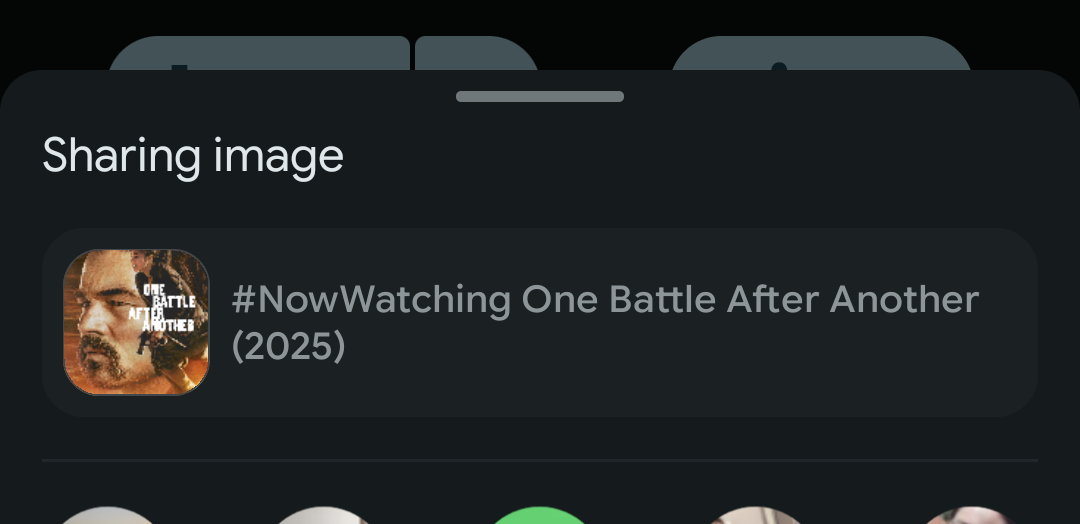
Seems like we got there! We can see that the ShareSheet showing the poster for One Battle After Another2 and the accompanying text.
Now, when I pick Bluesky from the ShareSheet, the app opens and shows the post preview:
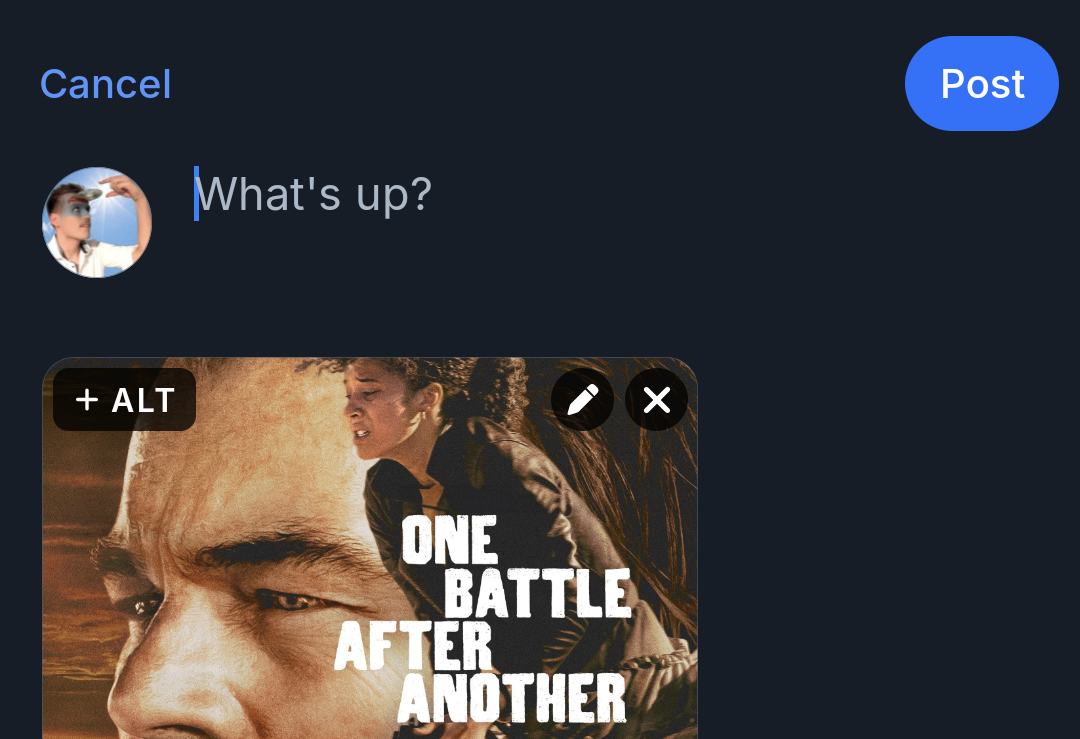
What’s this?! The text is gone!
At date of writing3, the Bluesky Android application does not receive the optional text attachments sent with image (or video) share intents.
Inspecting the source code, we can see that if the app sees the share intent containing images or videos, it doesn’t check for text attachments.
A certain really cool and sexy dev opened a PR to fix this, but until it’s reviewed and merged, we’ll have to live without the text being shared.
Or do we?
While the ShareSheet solution will work in the future, finding and picking “Bluesky” in the sheet is a heavy cognitive load on the user, and requires one whole additional tap to get to the desired outcome.
This is inconceivable, and frankly, criminal!
Let’s see if we can streamline this, implementing a direct “Post to Bluesky” button:

The Action Intent Link solution
Having just inspected the source code for share intent handling, we now know how the Bluesky app proceeds with received data under the hood:
"bluesky://intent/compose?imageUris=$encoded".toUri().let {
    val newIntent = Intent(Intent.ACTION_VIEW, it)
    appContext.currentActivity?.startActivity(newIntent)
}
The application creates an Action Intent Link,
appending encoded image data as imageUris, and opens the resulting URI in a new intent of the ACTION_VIEW kind.
You might say to yourself:
Hey! We can do this, too!
And you’re absolutely correct! Good job, I’m so proud of you.
Let’s run a quick test from our app with just the text parameter…
val textParameter = URLEncoder.encode("#NowWatching: One Battle After Another (2025)", "UTF-8")
val intentComposeUri = "bluesky://intent/compose?text=$textParameter".toUri()

val intent = Intent(Intent.ACTION_VIEW, intentComposeUri)
intent.addFlags(Intent.FLAG_ACTIVITY_NEW_TASK)
application.startActivity(intent)
… and boom, it just works!

That was easy enough, but I wasn’t particularly concerned about text. The much harder property is still missing…
The image (Inception horn noise)
Taking a look at how the source code
encodes its imageUri parameters, we can learn the structure this link seems to expect:
private fun buildUriData(info: Map<String, Any>): String {
    val path = info.getValue("path")
    val width = info.getValue("width")
    val height = info.getValue("height")
    return "file://$path|$width|$height"
}
It seems the parameter needs to contain both the path to the image file as well as the width and height dimensions.
As we learned previously, the Android system doesn’t love exposing images to every other app installed on the device. Creating a path the Bluesky app can read is going to be a tall order.
Does the FileProvider work here?
I had hoped that, like with the share intent, exposing the file via FileProvider could be enough for Bluesky
to be able to access the image’s URI…
val uri = FileProvider.getUriForFile(
    application,
    "YOUR_AUTHORITY_HERE",
    file
)

val imageParameter = URLEncoder.encode( "$uri|2000|3000", "UTF-8")
val textParameter = URLEncoder.encode("#NowWatching: One Battle After Another (2025)", "UTF-8")

val intentComposeUri = "bluesky://intent/compose?text=$textParameter&imageUris=$imageParameter".toUri()

val intent = Intent(Intent.ACTION_VIEW, intentComposeUri)
intent.addFlags(Intent.FLAG_ACTIVITY_NEW_TASK)
intent.addFlags(Intent.FLAG_GRANT_READ_URI_PERMISSION)
application.startActivity(intent)
… but my hopes were dashed:
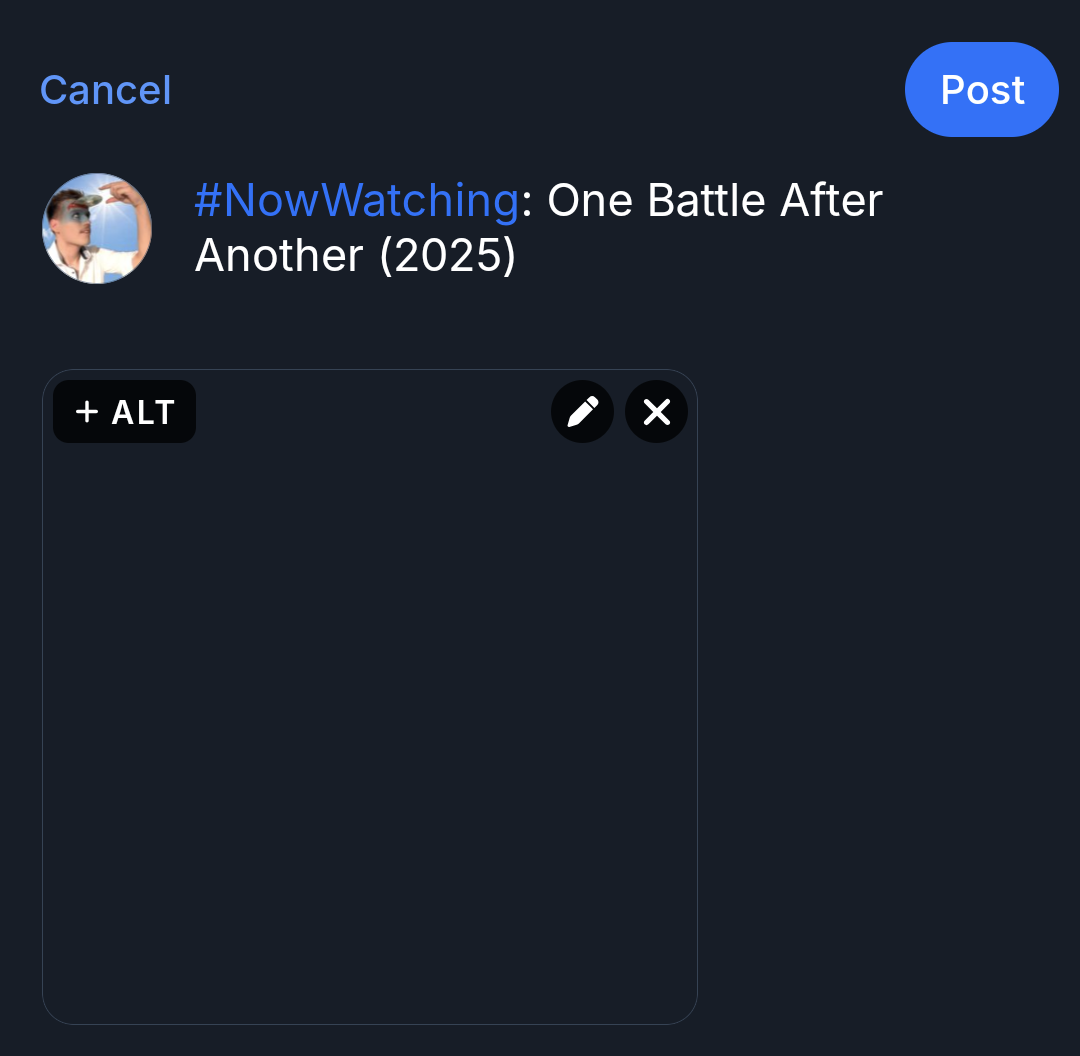
Bluesky did realize that we wanted to attach an image to the post, but the image is empty. This is just speculation,
but I assume this is because the app is not allowed to access the provided URI outside resolving an ACTION_SEND intent.
How about remote images?
Since I download my images from an external API anyways, I thought about just adding the original image URL as the path
part of the parameter. Unfortunately, this opens the Bluesky app as if the image hadn’t been sent at all:
Digging deeper into the source code,
we can find out why: When receiving intent/compose links,
imageUris is filtered for paths containing https:// or http://.
.filter(part => {
    // For some security, we're going to filter out any image uri that is external. We don't want someone to
    // be able to provide some link like "bluesky://intent/compose?imageUris=https://IHaveYourIpNow.com/image.jpeg
    // and we load that image
    if (part.includes('https://') || part.includes('http://')) {
        return false
    }
They even explain why, mentioning security concerns in the code comments. Lovely! Now I’m no big city web developer, so I can’t speak on the validity of such security concerns4. For now let’s just accept that it is known.
Back to local files then
So the previous FileProvider solution was not working.
As a hail-mary, I tried just calling file.toUri() and using the resulting file:// path,
but (for good reason) Android doesn’t allow that either.
I got to thinking: The issue seems to be that the Bluesky application doesn’t have permission to access the file URI,
and I can’t make that URI available using FileProvider with the correct intent flags as before.
So what if I just made the file available globally?
MediaStore to the rescue
Using Android’s MediaStore, we can save images from our application to the phone’s media storage.
I had previously set up downloading an image to the media storage following this guide, so it only took some minor changes to make use of the functionality for posting to Bluesky:
private fun saveFileUsingMediaStore(file: File): Uri? {

    val contentValues = ContentValues().apply {
        put(MediaStore.MediaColumns.DISPLAY_NAME, file.name)
        put(MediaStore.MediaColumns.MIME_TYPE, "image/jpeg")
        put(MediaStore.MediaColumns.RELATIVE_PATH, Environment.DIRECTORY_PICTURES + "/YourDirectory")
    }

    application.contentResolver.insert(MediaStore.Images.Media.EXTERNAL_CONTENT_URI, contentValues)?.let { uri ->

        file.inputStream().use { inputStream ->
            application.contentResolver.openOutputStream(uri)?.use { outputStream ->
                inputStream.copyTo(outputStream, DEFAULT_BUFFER_SIZE)
            }
        }

        return uri
    }

    return null
}
Calling this with the file we’re trying to share and using the resulting uri for the path parameter,
Bluesky can finally read the image from its location!
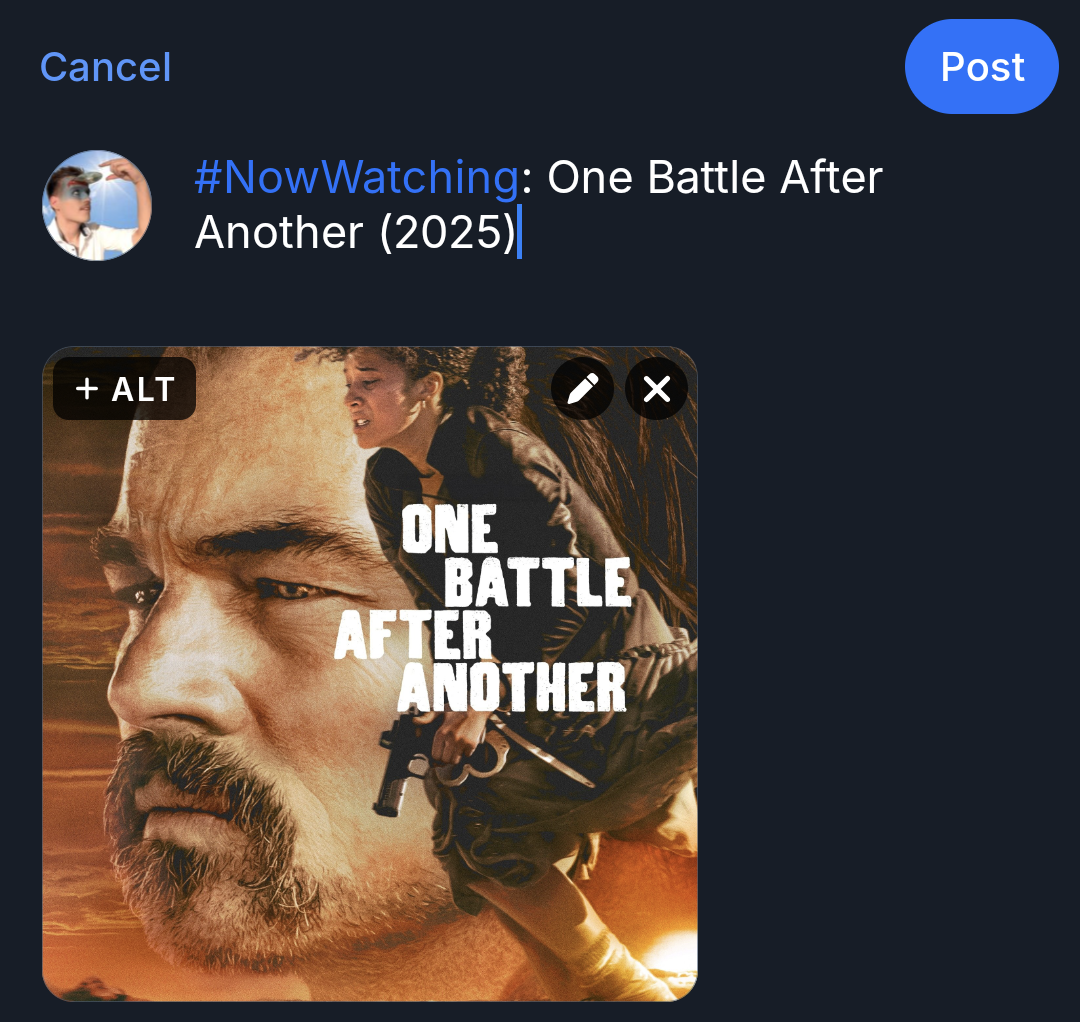
And here’s the final code, utilizing saveFileUsingMediaStore to make the image readable:
saveFileUsingMediaStore(file)?.let { uri ->

    val imageParameter = URLEncoder.encode( "$uri|2000|3000", "UTF-8")
    val textParameter = URLEncoder.encode("#NowWatching: One Battle After Another (2025)", "UTF-8")

    val intentComposeUri = "bluesky://intent/compose?text=$textParameter&imageUris=$imageParameter".toUri()

    val intent = Intent(Intent.ACTION_VIEW, intentComposeUri)
    intent.addFlags(Intent.FLAG_ACTIVITY_NEW_TASK)
    application.startActivity(intent)
}
Note that we even managed to get rid of FLAG_GRANT_READ_URI_PERMISSION. Bye flop!
Concerns about this solution
It feels good to get a hack like this to function, like a speedrunner finding exploits in a videogame, but I do have some concerns about using this code in production:
Image file privacy
The image is now saved to the user’s device and can be accessed by the phone’s gallery. If your image should remain private, this solution is not for you.
You could technically attempt to delete the file from the storage after the operation is complete. I have not attempted this, but might get back to it on this post some day.
Usage of “internal” Bluesky functionality
While Bluesky is open source and usually doesn’t change functions willy-nilly, intent/compose links with
imageUris aren’t part of the officially offered functionality.
The Action Intent Links documentation doesn’t mention the
ability of attaching imageUris, the possibility is only evident from the source code.
Therefore, this functionality may be subject to unexpected changes, or may be removed entirely without much warning. Proceed with caution5.
This only works with the Bluesky Android application
Since the intent/compose URI begins with bluesky://, the intent can only be handled by applications
able to receive such deeplinks.
If none are installed, your app will crash. Wrapping application.startActivity(intent) in a try/catch block can help
with error handling here.
You could technically attempt rewriting the link to open Blueskys web application; however if you inspect
the source code
yet again, you can see that attaching imageUris is currently only allowed for native applications, for whatever reason.
For what it’s worth, this may also be possible on iOS, but I am not going to look into that.
TLDR
- Make sure you have a valid image file
val file: File. - Save that file to the device using
MediaStore, making it available “globally”. - Create an
intent/composeURI:- Encode the
MediaStoreURI with the image’swidthandheightappended, separated by pipe:"$path|$width|$height". - Encode the text you want to use.
- Construct the URI:
bluesky://intent/compose?text=$text&imageUris=$imageUris
- Encode the
- Dispatch that URI as an
ACTION_VIEWintent.
The Bluesky Android application will open the post-composer with the text and image prefilled.
Love you! 🐸🫶🏻
🦶📝
-
Well, technically, you ARE allowed to do so, but the other app would not have permission to access the file at that URI. ↩
-
PSA: You should really watch that movie. It’s very good. ↩
-
17th of November 2025 ↩
-
Although I do think that at the point where a user attempts to open a link like that, it’s probably already too late for them. ↩
-
I won’t, but do as I say, not as I do. ↩